Ever noticed how some web links are clean and readable while others look like random codes? That’s no accident. In this post, we’re going to break it down for you we’ll explain what is URL optimization in SEO, cover all the different types of URLs, how each impacts SEO, and finally, provide you with real actionable tips to make each link on your site clear, trustworthy, and click-worthy.
Understanding what is URL optimization in SEO is crucial to ensure that your pages are not only discoverable but also engaging and efficient in performance. Knowing how slug vs URL works, what qualifies as an SEO-friendly URL, and why URL structure best practices matter will significantly increase your website’s visibility, trustworthiness, and ranking potential for both users and search engines. No matter your role—blogger, developer, or digital marketer—these insights are tailored to boost your results.
Key Takeaway
- Understand the differences of static, dynamic, canonical and SEO friendly URLs (with simple definitions and examples).
- See real-world market examples where good and bad URLs made a direct impact.
- Utilize tips that will help you keep your URLs clean, short, and keyword-relevant, which can improve ranking and user trust.
What Is an SEO-Friendly URL?
Why Are SEO-Friendly URLs Important?
List of Different Types of URL
URL Structure and SEO
SEO URL Best Practices
What Is An SEOfriendly URL?
An SEO-friendly URL (also called a Clean URL) is a straightforward, readable web address that describes the page content with relevant keywords.
Example:
✅ example.com/best-laptops
❌ example.com/page?id=1837
Making your URLs SEO-friendly will not only make it easier for your audience to find your site but will also increase the likelihood that the audience will trust and actually click it.
Tip: Creating URLs that “tell the story” of your page is an easy ways to create credibility. You’ve succeeded if visitors can infer the subject of your page just by looking at the URL.
Why Are SEO-Friendly URLs Important?
- Crawlability: Clear URLs help search engines accurately index your pages.
- User Trust: Descriptive URLs look legit and encourage clicks.
- CTR Boost: Including keywords in your URL can increase your click-through rates—and get you noticed.
Real Example:
Since it is brief, pertinent, and packed with keywords, Neil Patel’s post at neilpatel.com/blog/seo-urls ranks highly in Google.
List of Different Types of URL
Here are the most common URL types you’ll see online, with simple explanations and SEO context:
| Type of URL | Description | Example | SEO Impact |
| Static URL | Unchanging, no parameters | example.com/about-us | Highly SEO-friendly |
| Dynamic URL | Generated, has parameters (?, =, &) | example.com/product?id=982&cat=shoes | Less SEO-friendly unless optimized |
| Absolute URL | Full address with protocol and domain | https://example.com/blog/seo-guide | Good for clear linking |
| Relative URL | Only the path, assumes the same domain | /blog/seo-guide | Useful for internal linking |
| Canonical URL | Preferred version of similar/duplicate pages | example.com/shoes | Prevents duplicate content problems |
| Shortened URL | Compact for sharing (social, email) | bit.ly/3KfG21 | Not SEO-optimal, OK for tracking or links |
| SEO-Friendly URL | Clear, keyword-based structure | example.com/seo-friendly-url | Great for rankings & CTR |
| Tracking URL (UTM) | Includes UTM parameters for campaign measurement | example.com/offer?utm_source=google | Use with care—can get messy or dilute SEO value |
Market Example:
A boutique shifted from site.com/product-page?p=99821 to short, keyword URLs like site.com/mens-leather-shoes. The change led to a 22% increase in Google impressions, and customers found it easier to share or remember links.
URL Structure and SEO
A smart URL structure helps all your pages get discovered, indexed, and ranked.
Ideal Structure:
- Homepage: example.com
- Category: example.com/blog
- Post: example.com/blog/url-optimization-in-seo
Tip: Keep folder depth shallow (1-2 tier depth). Deep folder structure (like example.com/2024/07/blog/seo-tools) are harder for users to navigate and google bots to crawl.
SEO URL Best Practices
- Choose a Top Level Domain. .com, .net, and other trusted TLDs are more professional and received better around the globe.
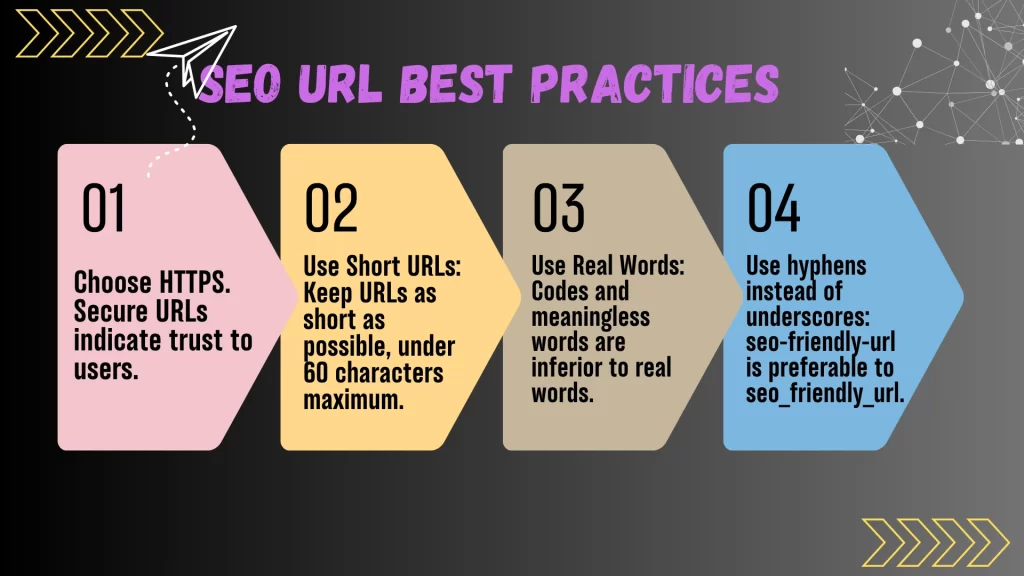
- Choose HTTPS. Secure URLs indicate trust to users.
- Use Short URLs: Keep URLs as short as possible, under 60 characters maximum.
- Use Real Words: Codes and meaningless words are inferior to real words.
- Use hyphens instead of underscores: seo-friendly-url is preferable to seo_friendly_url.
- Use Lowercase Letters: Avoid accidental 404 errors with case mismatched URL.
- Use “Safe” Characters: Skip &, %, ?—stick to letters, numbers, hyphens.
- Target 1-2 Keywords: Place your main keyword near the start of your slug.
- Avoid Using More Than Two Folders:
- ✅ example.com/blog/seo-tools
- ❌ example.com/2024/07/blog/seo-tools
Real-World Tip:
When an eCommerce store cleaned up hundreds of cluttered product URLs, organic clicks surged, and more shoppers bookmarked product pages—proving that a little tidying works wonders.
How to Optimize URL for SEO
- Do keyword research first.
- Create short, clean slugs matching your page’s title (and H1).
- Update permalinks before your page goes live.
- Avoid “stop words” (the, and, of).
- Audit old URLs if you update content—redirect with 301s if necessary.
Example:
Page H1: “Best SEO Tools for Beginners”
Optimized URL: example.com/seo-tools-beginners
Conclusion
Understanding and choosing from the different types of URL— static, dynamic, canonical, SEO-friendly, or tracking makes a real difference in site visibility and user happiness. By using url structure best practices and continuous url optimization, your content becomes easier to find, easier to trust, and more likely to drive results.
FAQs
What are the different types of URLs in SEO?
They include static, dynamic, absolute, relative, canonical, shortened, SEO-friendly, and tracking URLs. Each serves a unique purpose for web navigation and SEO.
Which type of URL is best for SEO?
Static and SEO-friendly URLs are the most effective for SEO. They are readable, keyword-rich, and easier for search engines to index.
Can dynamic URLs rank in Google?
Yes, but dynamic URLs often require extra effort like canonical tags or URL rewriting to perform well in search engines.
What’s the difference between a tracking URL and a canonical URL?
A tracking URL contains UTM parameters to monitor campaign performance. A canonical URL signals the preferred version of a page to avoid duplicate content issues.
How does URL structure affect SEO?
Good URL structure improves crawlability, supports internal linking, and helps users understand site hierarchy all of which impact SEO rankings.
Slug vs URL: What’s the difference?
Slug: Customizable part following the domain, usually with your primary keyword (like seo-checklist) URL: Complete web address to specify your .com closing (for example, https://example.com/seo-checklist)
Tip: A well-optimized slug is like the title to a movie—it is what people type, share, and what they will remember.

Mohit Verma – I am an experienced professional with 9+ years of experience in Search Engine Optimization. I am on a mission to provide industry focused job oriented SEO so the students/mentees can get their dream SEO job and and start working from day 1.

Mohit Verma
Contributor at Mohit's SEO Training.