Have you ever wondered what is a meta description in WordPress and why it is mentioned in every serious SEO guide?
Let’s think about it: You are searching through Google and you quickly scan the search results looking for a good answer to your search assignment. You see these small snippets below each blue link, and you decide where to click. In this busy online landscape, particularly on WordPress and the likes, a meta description is more than a quick description, it is your digital handshake. Your meta description has the potential of being seen in search result links, piquing interest, and attracting real traffic.Think of the meta description as the opportunity to convert scrollers into readers; one click at a time!
In this blog, we’ll break down:
What Is a Meta Description in WordPress?
Meta Title vs. Meta Description: What’s the Difference?
Why Meta Descriptions Matter in SEO
How to Add or Edit Meta Descriptions in WordPress
Best Practices for Writing Meta Descriptions in WordPress
What Is a Meta Description in WordPress?
In WordPress, a meta description is a brief summary of what the page is all about that appears as a snippet in the search results. Although this snippet will not be displayed on the actual page itself, it is an HTML snippet that plays a large role in stating what the users and Google should understand your content is all about.
Real-World Example:
Before (auto-generated):
“Welcome to our website. Home | Shop | Contact.”
After (custom-written):
“Shop eco-friendly essentials for your home. Reduce your carbon footprint with our affordable, sustainable products—delivery worldwide!”
Effect: +42% increase in clicks within 30 days.
Meta Title vs. Meta Description: What’s the Difference?
| Feature | Meta Title | Meta Description |
| Where It Appears | Top clickable link in Google results | Text below the title in search results |
| Purpose | Grab attention and rank for keywords | Convince users to click by describing the page’s content |
| Ideal Length | Up to 60 characters (~580 pixels) | 150–160 characters (~920 pixels for desktop) |
| SEO Role | Strong ranking factor | Influences CTR (Click Through Rate) |
Why Meta Descriptions Matter in SEO
So, what does a meta description do? While it is not a ranking factor directly, the purpose of a meta description is to create a CTR, therefore that impacts rankings. A clear, compelling, and intent-focused description allows for a greater opportunity for people to click on your link.
Benefits of Strong Meta Descriptions:
- Helps users understand your content
- Improves click-through rates
- Influences how your brand is perceived
- Reduces bounce rate by matching user intent
How to Add or Edit Meta Descriptions in WordPress
Using SEO Plugins (Recommended for Beginners):
- Yoast SEO or Rank Math
- Edit your page or post in WordPress
- Scroll to SEO meta box
- Fill in the “Meta Description” field
- Preview it live before publishing
Without a Plugin (Manual Method):
Add this in your <head> tag:
html
CopyEdit
<meta name=”description” content=”Write your meta description here.”>
Where is the meta description in WordPress?
Typically found under your content editor (when using a plugin), or inserted via custom code in your theme’s header.php.
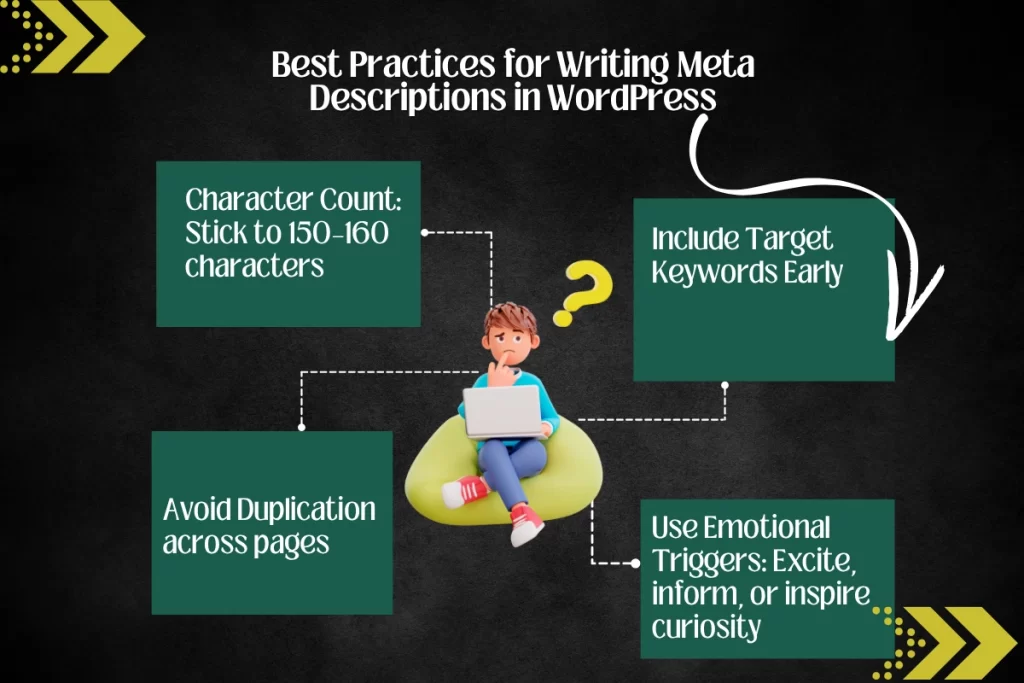
Best Practices for Writing Meta Descriptions in WordPress
- Character Count: Stick to 150–160 characters
- Include Target Keywords Early
- Avoid Duplication across pages
- Use Emotional Triggers: Excite, inform, or inspire curiosity
- Match Search Intent: Informational, navigational, or transactional
- Call to Action: “Learn more,” “Download now,” “Browse deals”

Real Examples of Good Meta Descriptions
| Type of Site | Meta Description Example |
| Travel Blog | “Discover hidden gems in Europe. Explore guides, tips, and budget-friendly travel hacks.” |
| E-Commerce | “Upgrade your kitchen with our best-selling blenders. Fast shipping & great deals today!” |
| Portfolio Site | “View the latest UI/UX projects by designer Jane Doe. Clean, functional, and user-focused.” |
| Educational Website | “View the latest UI/UX projects by designer Jane Doe. Clean, functional, and user-focused.” |
What Happens If You Don’t Write One?
When a page has no custom meta description, Google will create its own case, frequently taking random text from the page. This can confuse users or misrepresent the page and lose clicks.
Don’t let Google guess your value. Tell the story yourself.
How Long Should a Meta Description Be?
The ideal meta description length is:
- Up to 160 characters (~920 pixels on desktop)
- 120 characters or less for mobile-first optimization
Use tools like Portent SERP Preview or Yoast’s built-in preview to check before publishing.
Bonus Tips for Writing Winning Descriptions
- Check competitors—what are their meta descriptions saying?
- Use dynamic fields with plugins like Rank Math for e-commerce or large blogs
- Refresh older pages with updated descriptions to boost rankings
- Don’t keyword-stuff—keep it natural and readable
Final Thoughts
Crafting a perfect meta description in WordPress is about more than SEO—it’s about clarity, persuasion, and guiding the right people to your content. Done well, it’s the difference between being just another link and being the link users click.
Need Help?
Want better meta descriptions written for your site or blog?
👉 Connect with Mohit SEO Training let’s fine-tune your content for real SEO results.
FAQs
What is a meta description with an example?
It’s a short summary shown in search engines.
Example: “Learn how to optimize your WordPress site’s SEO with quick, effective meta description tips.”
What is the role of meta description in SEO?
To entice searchers to click, improving CTR and user relevance.
How to add meta description in WordPress without plugin?
Manually place <meta name=”description” content=””> in your site’s header.
How to write a meta description for a website?
Include the main keyword, match search intent, and keep it short and clear.
What is metadata in WordPress?
Metadata includes title tags, meta descriptions, and structured info about your pages used by search engines.


Mohit Verma
Contributor at Mohit's SEO Training.