A new domain, a faster platform or a fresh design should grow your business. Too often it does the opposite. When Search Engine Journal tracked 892 domain migrations, the new domains took an average of 523 days to reach the old domain’s organic traffic, and 17% had still not recovered after 1,000 days. The causes are rarely mysterious. In one Seer Interactive case, a redesign and CMS move caused a 26% traffic drop, and the audit traced it to URLs that were not redirected properly and excessive 404 errors. A website migration does not lose traffic by itself. Your process does. If you map every old URL to its closest new equivalent, keep content and signals intact, change as few things as possible at once, and monitor Search Console from the first hour, you can move a site and keep most of its rankings.
TL;DR
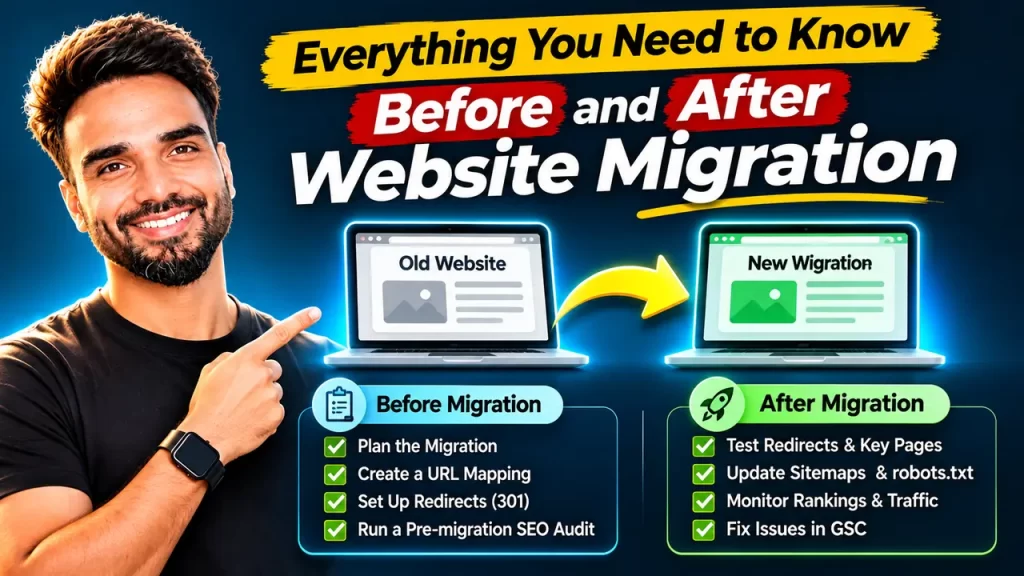
A website migration is any change to your domain, URLs, platform, protocol, structure or hosting that affects how search engines find your pages. Traffic drops after a migration usually come from missing or wrong 301 redirects, staging settings left live (noindex, robots.txt blocks), lost content, broken internal links, wrong canonicals, missing structured data or hreflang, and broken analytics. Follow three phases. Before launch: benchmark, crawl every URL, build a one-to-one redirect map, keep content parity and test on a protected staging site. On launch day: switch redirects, update sitemaps, verify Search Console and use the Change of Address tool for domain moves. After launch: check redirects within 48 hours, fix 404s and indexing gaps, and track rankings, leads and AI visibility for at least three months. Keep redirects in place for at least a year.
What is a website migration, and which type are you doing?
A website migration is any significant change that alters how search engines access, crawl or understand your website. The type of migration decides the level of risk, so identify yours first.
| Migration type | Example | SEO risk |
|---|---|---|
| Protocol change | HTTP to HTTPS | Low |
| Hosting or server move | Shared hosting to a cloud server, same URLs | Low to medium |
| Design refresh | New theme, same URLs and content | Low to medium |
| URL restructure | /blog/post-name to /resources/post-name | Medium to high |
| CMS or platform change | Wix to WordPress, Magento to Shopify | High |
| Domain change | oldbrand.com to newbrand.com | High |
| Subdomain to subfolder | blog.site.com to site.com/blog | Medium |
| Site merger | Two websites combined into one | High |
| International restructure | Several ccTLDs moved to one domain with folders | Very high |
Many projects combine several types at once, such as a new domain, a new CMS and a new design. Each extra change multiplies the risk, which is why I always ask clients whether every change really has to happen on the same day.
In short: A website migration is any change to protocol, hosting, design, URLs, CMS, domain, structure or international setup that affects how search engines access your site. Risk rises from low for HTTPS moves to very high for international restructures, and combining several changes multiplies it.
Why do website migrations lose traffic?
I group migration failures into six families. Understanding all of them is the only way to prevent them, because most traffic losses come from small issues nobody checked.
Redirect problems
| Issue | What happens | How to prevent it |
|---|---|---|
| Missing redirects | Old URLs return 404, rankings and backlink value disappear | Map every indexed and linked URL, not only pages in the menu |
| Redirecting everything to the homepage | Google treats them as soft 404s and drops the value | Redirect each URL to its closest equivalent page |
| Redirect chains and loops | Slower crawling, diluted signals, broken pages | Point every old URL straight to its final destination |
| Temporary (302) instead of permanent (301) redirects | Google may keep the old URL longer than expected | Use 301 or 308 redirects for permanent moves |
| Missed URL variations | Parameters, trailing slashes, uppercase, www and non-www versions keep failing | Test every variation pattern, not just clean URLs |
| Forgotten files | Images, PDFs and downloads lose their rankings and links | Include media and document URLs in the map |
Crawl and indexing blockers
| Issue | What happens | How to prevent it |
|---|---|---|
| Noindex tag copied from staging | The new site drops out of Google | Check meta robots and X-Robots-Tag headers on launch |
| Robots.txt blocking the site | Google cannot crawl the new pages | Review robots.txt before and after launch |
| Canonicals pointing to staging or old URLs | Google indexes the wrong version | Make every canonical self-referencing on the new URL |
| Staging site indexed before launch | Duplicate content and confusion | Protect staging with a password, not only noindex |
| Firewall or CDN blocking Googlebot | Crawl errors and drops in indexed pages | Whitelist verified search engine crawlers |
| JavaScript-only content | Google sees empty or partial pages | Check rendered HTML with the URL Inspection tool |
Content and architecture changes
| Issue | What happens | How to prevent it |
|---|---|---|
| Removed or shortened content | Pages lose the relevance they ranked for | Keep content parity on pages that bring traffic |
| Changed headings, titles and meta tags | Rankings shift unpredictably | Carry over metadata unless you have a reason to change it |
| Pages buried deeper in the new navigation | Less internal link equity, slower crawling | Keep important pages within a few clicks of the homepage |
| Internal links still pointing to old URLs | Every click passes through a redirect | Update internal links to the new URLs directly |
| Pagination and filters handled differently | Duplicate or orphaned pages | Plan faceted navigation rules before launch |
Lost technical signals
| Issue | What happens | How to prevent it |
|---|---|---|
| Structured data missing | Rich results disappear | Rebuild and validate schema on every template |
| Hreflang broken | Wrong country or language versions rank | Update every hreflang reference to new URLs |
| Slower pages after the move | Weaker user experience and Core Web Vitals | Test performance on staging under real load |
| Mobile version missing content | Mobile-first indexing sees less content | Keep the same content on mobile and desktop |
| Old XML sitemaps | Google keeps crawling outdated URLs | Generate new sitemaps with only live, indexable URLs |
Tracking and measurement gaps
| Issue | What happens | How to prevent it |
|---|---|---|
| GA4 or tag manager missing on new templates | You cannot see the drop or the recovery | Test tracking on staging and on launch day |
| Conversion events broken | Leads look like they fell even if they did not | Test every form, button and checkout step |
| Search Console not verified for the new property | No data and no Change of Address option | Verify new properties before launch |
| No pre-migration benchmark | You cannot tell normal fluctuation from damage | Save rankings, traffic and conversions per page beforehand |
Business and external factors
| Issue | What happens | How to prevent it |
|---|---|---|
| Launch during peak season | Any dip hurts revenue at the worst time | Launch in your quietest period |
| Paid ads, emails and QR codes pointing to old URLs | Wasted spend and broken journeys | Update every channel or rely on tested redirects |
| Google Business Profile and directory links outdated | Local visibility suffers | Update the website URL in profiles and citations |
| Old domain allowed to expire | Redirects and backlink value vanish completely | Renew the old domain for years, not months |
| Server overloaded by the crawl spike | Timeouts and crawl slowdowns | Make sure hosting can handle Google recrawling both old and new URLs |
One reason migrations drag on is that Google has to process two sets of URLs at the same time. A Search Engine Land case study describes a media site that lost 90% of its traffic after a domain migration, with Google still crawling the old domain long after the move and soft 404 errors wasting crawl resources.
In short: Website migrations lose traffic because of six issue families: redirect problems, crawl and indexing blockers, content and architecture changes, lost technical signals, tracking gaps, and business or external factors. Almost every one is preventable with a full URL inventory, testing and a launch checklist.
When should you migrate a website, and when should you wait?
Migrate when the business gain clearly outweighs a temporary dip: your platform blocks growth, your brand changes, you need HTTPS, or you want to consolidate several weak sites into one strong one. Wait when the main reason is cosmetic, when your peak sales season is close, when your team cannot spare developer time after launch, or when the site is already recovering from a core update. Migrating a site with quality problems rarely fixes them, because Google carries those signals over.
In short: Migrate when the business benefit is clear and you have resources to monitor and fix issues after launch. Delay migrations driven by looks alone, planned near peak season, or attempted while the site is struggling with quality problems.
How do you plan a website migration?
Good migrations are won before launch. I follow these eight steps on every project.
Step 1: Define the scope and the success metrics
Write down exactly what changes: domain, URLs, CMS, design, content, hosting. Agree on what success means, such as organic leads within 10% of baseline by week eight. Separate changes into phases where possible, because salt.agency’s recovery analysis found that fast recoveries tend to share minimal content changes at the time of migration.
Step 2: Benchmark everything
Export at least 12 months of Search Console clicks and impressions per page, GA4 sessions and conversions per landing page, keyword rankings, and the backlink profile. Take screenshots of rich results and AI Overview citations you currently own.
Step 3: Build a complete URL inventory
Combine URLs from a full crawl, XML sitemaps, Search Console, GA4 landing pages, backlink tools and server logs. Each source finds URLs the others miss. My free sitemap extractor helps you pull every URL from your current sitemaps in a few seconds.
Step 4: Prioritise pages by value
Tag every URL as high, medium or low value using traffic, conversions and backlinks. High-value pages get manual review of redirects, content and metadata. Low-value pages can follow pattern-based rules.
Step 5: Create a one-to-one redirect map
Map to the closest equivalent
Each old URL points to the most relevant new URL. A product page goes to the same product, a category goes to the same category, a deleted blog goes to the closest related article.
Decide what to retire
Pages with no traffic, no links and no purpose can return 410 or 404. Redirecting them to irrelevant pages helps nobody.
Step 6: Keep content and signal parity
Carry over body content, titles, meta descriptions, headings, image alt text, schema, hreflang, canonical rules and internal links for important pages. Use my free schema markup generator and hreflang tag generator to rebuild these signals quickly.
Step 7: Test on a protected staging site
Put staging behind a password. Crawl it, test the redirect map against it, check rendering, page speed, mobile layout, tracking, forms and structured data. Fix everything before launch day.
Step 8: Plan the launch window and the rollback
Pick a low-traffic day early in the week so your developers are available. Write a rollback plan in case something critical breaks.
In short: Plan a migration in eight steps: define scope and success metrics, benchmark performance, build a complete URL inventory, prioritise pages by value, create a one-to-one redirect map, keep content and signal parity, test on a password-protected staging site, and schedule a quiet launch with a rollback plan.
What should you do on migration day?
Launch day is about execution and fast verification. Work through this checklist in order.
- Remove the staging password and any noindex tags, and confirm robots.txt allows crawling.
- Switch on the 301 redirects and test a sample of high-value URLs, URL variations and media files.
- Update internal links, canonicals, hreflang, structured data and forms to point to the new URLs, as Google’s John Mueller has advised.
- Upload new XML sitemaps and submit them in Search Console. Keep the old sitemap available for a short time so Google discovers the redirects faster.
- For domain moves, use the Change of Address tool in Search Console. Mueller has also recommended submitting the change for both the www and non-www versions.
- Check GA4 and conversion tracking in real time.
- Update Google Business Profile, social profiles, paid ad landing pages and email templates.
- Run my free robots.txt checker on the live site as a final safety check.
In short: On migration day remove staging restrictions, activate and test 301 redirects, update internal references, submit new sitemaps, use the Change of Address tool for domain moves, verify tracking, update external profiles and ads, and recheck robots.txt.
What should you check after the migration?
Monitoring decides how fast you recover. Problems caught in the first days cost far less than problems found after a month.
| Timeframe | What to check |
|---|---|
| First 48 hours | Redirect status of all mapped URLs, server errors, noindex and robots.txt, tracking, top 50 pages manually |
| First 2 weeks | Search Console Pages report, 404s, crawl stats, URL Inspection for key pages, sitemap coverage |
| Weeks 2 to 6 | Rankings and clicks for high-value pages, internal links still pointing to old URLs, structured data reports |
| Months 2 to 3 | Traffic and conversions against benchmark, backlink outreach for important links, Core Web Vitals |
| Months 3 to 12 | Long-tail recovery, old domain crawl activity, redirects still live |
Watch the Search Console indexing report closely in the early weeks. Sitebulb’s migration recovery guide notes that it often reveals URLs Google is trying to reach that were missed in the original redirect mapping, and that Google may serve old and new URLs in parallel for a while. Seeing old URLs in results for a few weeks is normal.
In short: After a migration check redirects, errors and tracking within 48 hours, indexing and 404s within two weeks, rankings and internal links over six weeks, and traffic, conversions and backlinks over three months. Old URLs can appear in results for a while as Google processes the change.
How do you handle special types of migration?
HTTPS migration
Redirect every HTTP URL to its HTTPS version, fix mixed content, update canonicals and sitemaps, and add the HTTPS property in Search Console. Avoid launching a new theme on the same day.
CMS or platform migration
Platforms such as Shopify, Wix and WordPress force their own URL patterns, for example /products/ and /collections/ on Shopify. Map these patterns early, and check how the new platform handles canonical tags, pagination and filters. Ecommerce stores carry the highest risk here, which I cover in my ecommerce SEO services.
Domain change
Keep the old domain registered and redirecting for years, use the Change of Address tool, reach out to sites with your most valuable backlinks, and tell customers about the new brand. Expect the longest recovery of all migration types.
Subdomain to subfolder
Moving blog.site.com to site.com/blog often consolidates authority, but treat it as a full migration with redirects, sitemaps and a separate Search Console check for the old subdomain.
International restructure
Update every hreflang annotation, keep the x-default correct, and avoid automatic redirects based on IP address that block Googlebot from seeing other versions. My international SEO services page explains the setup for multi-country sites.
Merging two websites
Audit both sites, keep the stronger page wherever two pages target the same topic, merge content where both add value, and redirect the weaker page to the merged one.
In short: HTTPS moves need full HTTP redirects and mixed content fixes. CMS moves need early mapping of platform URL patterns. Domain changes need long-term redirects and backlink outreach. Subdomain moves, international restructures and site mergers each need extra checks for authority, hreflang and duplicate topics.
How does a website migration affect AI search visibility?
In 2026 and 2027 your pages also appear as sources in AI Overviews, ChatGPT, Perplexity and other AI answers. A migration can break that visibility in ways most checklists ignore. AI systems may keep citing old URLs for a while, so your redirects must work for them too. New brand names need consistent facts across your website, social profiles, directories and press mentions so AI tools connect the old and new identities. Check that your robots.txt still allows the AI crawlers you want, refresh your llms.txt file with my free LLM.txt generator, and record which AI answers cited you before the move so you can compare after it.
In short: Migrations can break AI search visibility through old cited URLs, inconsistent brand facts and blocked AI crawlers. Keep redirects working, align brand information everywhere, allow the right AI crawlers, update llms.txt and track AI citations before and after the move.
How long does SEO recovery take after a website migration?
Recovery time depends on the migration type, site size and execution quality. Simple HTTPS or hosting moves often settle within weeks. Domain changes take much longer: the Search Engine Journal study of 892 domain migrations found an average of 523 days to regain pre-migration traffic, and salt.agency’s separate analysis found a median of 304 days, with around 42% of migrations taking more than 12 months. Both studies relied on third-party traffic estimates, so treat them as a warning, not a forecast.
| Signal | Normal | Red flag |
|---|---|---|
| Traffic dip in the first weeks | Moderate, recovering trend | Steep fall with no recovery after 6 to 8 weeks |
| Old URLs in search results | Visible for a few weeks | Still dominant after 3 months |
| Indexed pages | Gradual shift to new URLs | New URLs stuck in “Discovered” or “Crawled, not indexed” |
| Conversions | Roughly in line with traffic | Falling faster than traffic, which suggests broken tracking or forms |
Keep your redirects live for as long as possible, and for at least a year, as Google’s site move documentation recommends.
In short: Simple migrations often recover in weeks, while domain migrations can take many months, with studies reporting a 304-day median and a 523-day average. Watch for red flags such as no recovery after eight weeks, old URLs still dominant after three months, or conversions falling faster than traffic.
Which tools do you need for a website migration?
| Purpose | Tools |
|---|---|
| Crawling old, staging and new sites | Screaming Frog, Sitebulb, Semrush Site Audit |
| Indexing and performance data | Google Search Console, Bing Webmaster Tools |
| Traffic and conversions | Google Analytics 4, Looker Studio |
| Backlinks to protect | Ahrefs, Semrush |
| Redirect testing | Crawler list mode, HTTP status checkers |
| URL collection from sitemaps | MST sitemap extractor |
| Automated monitoring | An AI agent connected to Search Console that flags 404s and pages losing clicks |
I teach students to build that last one, a simple AI agent that watches Search Console after launch, in my advanced online SEO training.
In short: A migration needs a crawler, Search Console, GA4, a backlink tool, a redirect tester, a sitemap URL extractor and, ideally, an AI agent that monitors Search Console for errors and traffic losses after launch.
Who should own each part of a website migration?
| Task | Owner | Supports |
|---|---|---|
| Scope, timeline, go or no-go | Project lead | SEO, development |
| URL inventory and redirect map | SEO | Development |
| Redirect and template implementation | Development | SEO |
| Content parity and metadata | Content team | SEO |
| Tracking and conversion testing | Analytics | Development |
| Ads, emails and profiles update | Marketing | SEO |
| Post-launch monitoring | SEO | Development, analytics |
The most common failure I see is SEO joining the project after the design is final. Bring SEO in at the planning stage, when URL structures and templates are still flexible. If you are a founder handling a migration yourself, my one-on-one SEO training walks you through your own site’s move step by step.
In short: Give the project lead the go or no-go decision, SEO the URL inventory, redirect map and monitoring, developers the implementation, content teams the parity checks, analytics the tracking, and marketing the external updates. Involve SEO from the planning stage.
Frequently asked questions
Do 301 redirects lose SEO value?
No, a correct 301 redirect to a relevant page passes ranking signals without a meaningful loss. Value leaks when redirects go to irrelevant pages, form chains, or disappear too early. Think of a city bakery that moves to a new street: a clear sign on the old door sends customers to the new shop, while a sign that points to a random mall loses most of them.
How long should I keep 301 redirects after a migration?
Keep 301 redirects for at least one year, and ideally permanently. Backlinks, bookmarks, old emails and AI citations keep sending people to old URLs for years. I have seen businesses remove redirects to tidy up their server after a year and lose links they had earned a decade earlier.
Can I redirect all old pages to the homepage?
No, you should not redirect all old pages to the homepage. Google usually treats mass homepage redirects as soft 404s, so the old pages lose their value. If a deleted service page “GST registration in Bangalore” redirects to the homepage instead of the new GST services page, both users and Google lose the context they came for.
Should I change content and URLs at the same time?
No, avoid changing content, design and URLs at the same time when you can. Each change affects rankings, and combining them makes it impossible to know what caused a drop. Move the URLs first with content intact, let rankings settle, and then roll out content improvements in planned batches.
Does changing web hosting affect SEO?
Changing hosting does not affect SEO if URLs stay the same and the new server is fast and stable. Problems arise when the new server is slower, returns errors during DNS propagation, or blocks Googlebot through firewall rules. Lower the DNS TTL a day before the move, test speed on the new server, and watch Search Console crawl stats for a week. If you want to learn migrations and technical SEO hands-on, explore the SEO courses at Mohit’s SEO Training.
Sources
- Search Engine Journal: How long should an SEO migration take?
- Seer Interactive: Website migration support case study
- Search Engine Land: Soft 404s and indexing issues after a domain migration
- Search Engine Journal: Google’s advice on site migrations
- Search Engine Journal: Why site migrations can exceed 4 months
- Sitebulb: When website migrations go wrong
- Salt Agency: Domain migration recovery analysis
- Google Search Central: Site moves with URL changes
- Google Search Console Help: Change of Address tool

mohitverma
Mohit Verma is the founder and lead trainer of Mohit’s SEO Training, a Bangalore-based AI SEO training institute. With 12+ years of hands-on SEO experience, he has trained 500+ learners since 2022 and also runs the SEO agency Road To Top 5. Connect with him on LinkedIn or YouTube.