
Have you ever thought about what makes some web pages pop out at you and make it very easy, seamless even, to navigate? Its not luck or some magic, it’s just inline smart structure on-page with one of the most basic elements of web design and development, the H1 tag.
When you see a large title at the top of any page—this is the H1 tag. It is like your page’s elevator pitch to both Google and your readers.
What is an H1 Tag?
Suggested H1 Tags for Your Website
Why Are H1 Tags Important for SEO?
How to Check H1 Tags on a Page
H1 Tag SEO Best Practices: Do’s and Don’ts
What is an H1 Tag?
Simply, the H1 tag is the primary heading of a webpage, recorded in HTML as
It’s the first headline everyone sees – just like the title of a book. The H1 is the most crucial text for SEO: it indicates to search engines, and users, what the main topic of the page is.
H1 Tags serve a few distinct purposes:
Introducing the page topic.
Set user’s expectations on what they’re going to learn.
Indicate to search engines what the primary content on the page is.
When a WordPress website is created, the blog title is automatically assigned as the H1 tag. This appears on the backend as
Your Blog Title
but is styled and formatted on the front end of the website as the heading that the user sees. This seamless HTML integration helps communicate clearly with search engines.
Suggested H1 Tags for Your Website
1. Homepage
<h1>Master SEO with Mohit’s Expert-Led SEO Training in Mumbai</h1>
Keyword included: SEO training, Mumbai
Clear value: “Expert-led” adds credibility
Target: Local + skill-based searchers
2. SEO Course Page
<h1>Advanced SEO Course in Mumbai – Learn From Industry Experts</h1>
Keyword included: Advanced SEO course
Intent match: Good for people looking for practical, advanced training
3. About Page
<h1>Meet Mohit – Your SEO Mentor & Digital Marketing Expert</h1>
Adds personal brand flavor
4. Contact Page
<h1>Get in Touch for SEO Coaching or Consultation</h1>
5. Blog/Article Page Example
<h1>Top On-Page SEO Techniques to Boost Your Rankings in 2025</h1>
Keyword-rich, optimized, and contextual for blog SEO
Why Are H1 Tags Important for SEO?
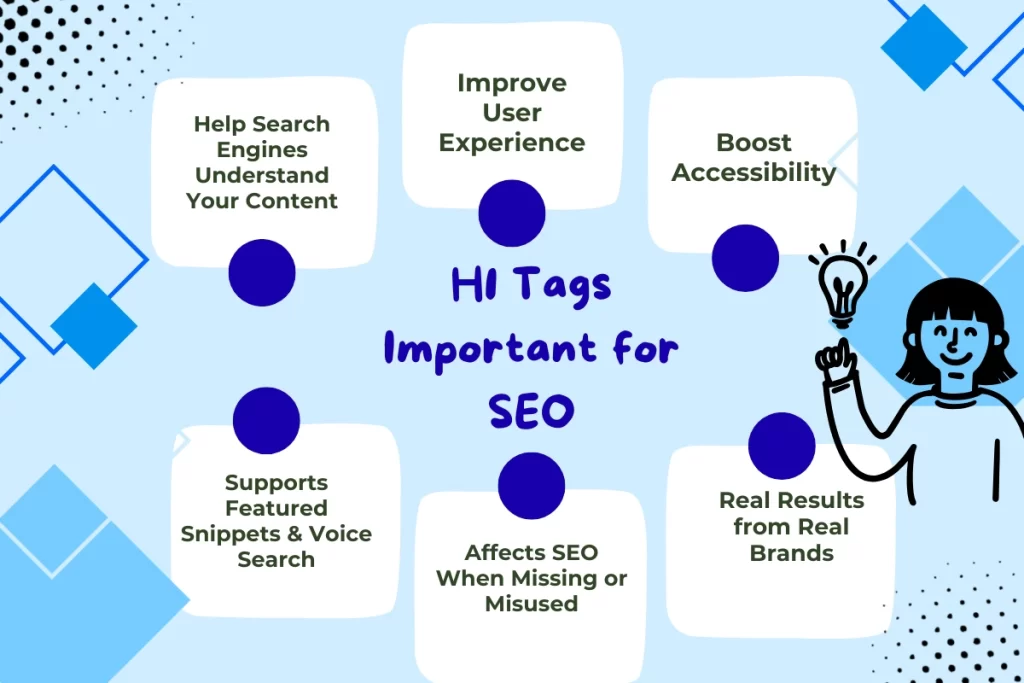
1. Help Search Engines Understand Your Content
Search engines use the H1 to understand the main point of a page. Including your main keyword naturally in the H1 reinforces your topic and improves your potential to rank.
2. Improve User Experience
Users naturally look at the largest text first. A clear, prominent H1 tells them they’re in the right place and encourages them to keep reading.
3. Boost Accessibility
Screen readers use the H1 to communicate a page’s purpose to visually impaired visitors. Skipping or misusing the H1 lowers your site’s accessibility.
4. Real Results from Real Brands
Neil Patel’s team has optimized H1 tags across a blog by focusing on long-tail keywords and user questions. The outcome? Better rankings, clicks, and engagement.
How to Check H1 Tags on a Page
View Page Source
Right-click a webpage → “View Page Source” → search for <h1>.
Browser Extensions
Use tools like SEO Minion or Detailed SEO Extension for a fast visual check.
Website Audit Tools
SEMrush, Ahrefs, and Screaming Frog can check for absent, duplicate, or weak H1 tags.
Pro tip: Make sure you run at least a quick audit after you update your content.
One missing H1 can mean missed SEO and lost visitors!
H1 Tag SEO Best Practices: Do’s and Don’ts
| Do’s | Don’ts |
| Use only one H1 tag per page | Don’t use multiple H1 tags on the same page |
| Include your primary keyword naturally | Don’t stuff keywords or repeat them unnecessarily |
| Keep the H1 under 60 characters | Don’t write long, vague, or generic headlines |
| Make the H1 clear, relevant, and compelling | Don’t use generic headings like “Home” or “Welcome” |
| Align the H1 with your title tag and page content | Don’t make the title tag and H1 completely different |
| Focus on user intent – what the visitor is really searching for | Don’t write misleading or clickbait-style H1s |
| Ensure every page has a unique H1 | Don’t reuse the same H1 across multiple pages |
How to Add H1 Tags Easily
WordPress
The page or post title is your default H1—edit it in the Gutenberg or classic editor.
Squarespace/Wix
Select your text and apply the “Heading 1” style in the editor.
Shopify
Edit the theme’s product or page template to include a single H1 per page.
Note: While WordPress makes the blog title the default H1 tag, you can technically customize them. But from an SEO perspective, it’s best to align them. This helps search engines understand your topic more effectively.
How Many H1 Tags Should Be on a Page?
Only one. Google has become more flexible, but one strong, focused H1 is ideal for clarity, structure, and performance.
Still asking “can we use multiple H1 tag in HTML?” — Technically yes. But should you? No.
How to Style H1 Tag in CSS
h1 {
font-size: 36px;
color: #333;
font-weight: bold;
margin-bottom: 20px;
}
You can customize the H1 tag font size, spacing, and even give color to H1 tag in HTML using CSS. But keep readability and accessibility in mind.
H1 Tag vs Title Tag
Title Tag: Appears in the browser tab and search results (SEO snippet).
H1 Tag: User-facing headline appears on the webpage itself.
Make sure they align, but they don’t have to be the same.
| Aspect | Post Title | H1 Tag |
| Definition | HTML element (<title>) used in search engine results, tabs, and previews | HTML element (<h1>) used within the content to define the main heading |
| Assignment | Automatically set as SEO title on platforms like WordPress | Set as the main content heading; typically mirrors the post title |
| Purpose | Helps search engines and users find and click on your content | Helps structure your page and indicate its topic to readers and search engines |
| Appearance | Visible in browser tab and SERPs | Appears visually as the main heading on your actual webpage |
| Role in SEO | Influences click-through rates from search results | Enhances page structure and content relevance, improving SEO rankings |
Industry Update: H1 Usage Trends in 2025
- Google’s algorithms better understand page semantics—but clear H1 structure still matters.
- Core Web Vitals affect rankings—user experience and heading clarity are critical.
- AI-generated content is widespread—but human-written H1s that reflect intent stand out more than ever.
SEO Experts agree: “H1s are still a critical SEO element. Keep it clear, keep it intentional.”
Running an H1 Tag Audit
- Competitive research is a huge part of on-page SEO, so the more generic H1s you can identify, the better.
- Then, perform a manual audit of these pages to confirm all pages contain a descriptive, user focused H1.
Real Tweets & Hot Takes
“Still using more than one on a page? Search engines and readers need a single, clear main topic. Audit those headings and watch your SEO climb! #SEOtips #WebDev”
“Pro SEO tip: Make your H1 tag the promise your content keeps. Nail the intent, nail the ranking. #contentstrategy”
If your heading doesn’t effectively address the user’s query, by all means, you should change it. #SEOHacks”
Final Thoughts
Controlling the H1 tag is a necessary step for successfully optimizing your WordPress site for searches and readers alike. By grasping and implementing its purpose and best practices, distinguishing it from similar SEO factors, you can write better headlines which improves user experience and visibility.
Take the time to write a compelling H1 and you’ll effectively be helping Google, your users, and your ranking all at the same time.
FAQs
1. What is an H1 tag on a website?
An H1 tag is the main heading of a webpage written in HTML (<h1>), indicating the primary topic to both users and search engines.
2. Are H1 tags important for SEO?
Yes. H1 tags help search engines understand page content and improve readability, structure, and user experience.
3. Can I have multiple H1 tags on a single page?
While technically allowed, it’s best to use only one H1 tag per page for clarity and SEO effectiveness.
4. How do I add or edit an H1 tag in WordPress?
In WordPress, the post title automatically becomes the H1 tag. You can edit it via the page or post editor.
5. What is the difference between a title tag and an H1 tag?
The title tag appears in search results and browser tabs, while the H1 tag appears on the webpage as the main visible heading.

Mohit Verma – I am an experienced professional with 9+ years of experience in Search Engine Optimization. I am on a mission to provide industry focused job oriented SEO so the students/mentees can get their dream SEO job and and start working from day 1.