Your website is like a shop in a huge busy marketplace. People will just walk past your site (generally not even realise it is there) if it is not responsive, messy, or hard to navigate, no matter how good your product or service is. The primary objective of on-page SEO is to make the website findable, uploadable, and usable by all users. Knowing what on-page means in cyberspace will help you as a blogger, marketer, or business owner determine whether you are visible or not visible.
In this blog, we’ll break down:
What is on – page SEO?
Why Is On-Page SEO Important?
Advanced On-Page SEO Factors
Why Content Structure Is Crucial for On-Page SEO
2025 On-Page SEO Checklist
What Is On-Page SEO?
On-page SEO refers to the practice of optimizing the content, structure, and HTML code of individual web pages to improve their search engine rankings and provide a better experience for users. Unlike off-page SEO, which focuses on external factors like backlinks, on-page SEO is entirely within your control.
It includes optimizing things like:
- Keywords and content quality
- Meta tags (title, description)
- Image alt texts
- URL structure
- Page speed and mobile-friendliness
- Internal linking and more
Why Is On-Page SEO Important?
1. It Helps Search Engines Understand Your Content
Search engines like Google don’t “see” your page the way humans do—they rely on structured data, headings, keywords, and metadata to understand what the page is about.
Example:
Imagine you own a bakery in Pune and write a blog titled:
“Top 10 Eggless Cakes in Pune You Must Try”
If you optimize the H1 tag, include related keywords like “eggless cake delivery in Pune” or “best eggless cakes near me” naturally in your content, and use relevant image alt tags, Google understands this page is about eggless cakes in a local area, and ranks it for relevant searches.
By clearly organizing your content and using proper tags, you increase your visibility in the right search results.
2. It Enhances User Experience
On-page SEO isn’t just for bots, it’s also about humans. A clean, fast, and mobile-friendly page makes it easier for users to read, navigate, and engage with your content.
Example:
Let’s say your website takes 8 seconds to load and isn’t mobile-friendly. A user searching for “how to make cold brew coffee at home” visits your blog—but gets frustrated and leaves within 5 seconds.
But if your blog loads in 2 seconds, has clear subheadings like:
- H2: What Is Cold Brew?
- H3: How Is It Different from Regular Coffee?
- H3: Step-by-Step Guide to Make Cold Brew at Home
and includes helpful images or a video tutorial, the user stays longer and may even share your page or bookmark it. This improves your dwell time, reduces bounce rate, and tells Google your content is useful and engaging which helps rankings.
On-Page SEO Checklist
| Factor | Optimization Tips & Examples |
| Title Tag | Unique, keyword-rich, under 60 characters |
| Meta Description | Compelling, keyword included, under 160 characters |
| H1-H3 Headers | Clear hierarchy, keywords included |
| URL Structure | Short, descriptive, keyword-focused |
| Image Optimization | Modern formats, descriptive alt text |
| Internal Linking | Relevant, contextual links |
| Schema Markup | FAQ, product, review, etc. |
| Page Load Speed | Fast, optimized assets |
| Mobile Responsiveness | Fully responsive design |
| Content Quality/Freshness | Regular updates, authoritative sources |
| External Linking | To trusted, high-authority sites |
Why this is important:
Google is now using algorithms that rank helpful, relevant, and user-centered content.
More than 75% of users never look past the first page!
Well-optimized pages will rank, click, and convert.
Vital On-page SEO Factors (with descriptions and examples)
1. Correct Keyword Placement
Description:
Keywords are still the foundation of on-page SEO. The secret is to pivot to user intent – are they looking for information? Are they looking for a solution? Are they looking for a product? Place primary and related keywords organically in your titles, subheadings, and body text. But avoid keyword stuffing. For effective keyword use, aim for a density of 1-2%.
Example:
The phrase “best protein shakes for women” for a blog about “best protein shakes for women” should be used in the headline, the first paragraph, one of the sub-headings, and reasonably often throughout the content.
2. High-Quality, Value-Driven Content
Description:
Content must be unique, educational, and relevant to the searcher’s goal. Google gives higher ranking to websites that have experience, expertise, authority, and trust (E-E-A-T).Users who read a post in its entirety, stay interested, share it, and also provide backlinks23 are the results of engaging content.
Example:
Instead of a generic intro like “Protein is important. Here are some vegan options,” try:
Are you seeking protein sources that are ideal for vegans in order to complement your workout? Examine health-promoting plant-based alternatives to lentils and tempeh.
3. Optimized Title Tags
Description:
The title tag is a valuable HTML element that has an impact on clicks and rankings as well as user and search engines understanding what a page aims to achieve. To avoid truncation when displayed in search results, you should keep titles less than 60 characters and do your best to keep your main keyword at the beginning of the title.
| Good Example | Bad Example |
| Best Running Shoes of 2025: Top Picks for Every Runner | Home Page |
4. Compelling Meta Descriptions
Description:
Although meta descriptions do not directly affect ranks, they can increase click-through rates. A vibrant meta description will be short – preferably 160 characters or less – will have the primary keyword, a call to action, and a summary of the essence of the page, ideally – in this case – include the three versus the previously mentioned two.
5. The right heading structure (H1–H3)
Description:
Readers and search engines treat headings similarly, as navigation markers. H1 represents your main title; H2 represents significant sections; and H3 represents any subtopics or details in each section. Users and Google (and other search engines) will find it easier to comprehend the importance and organisation of your content with this arrangement. It not only makes your page easier to read, but it also gives Google insight into what matters to them.In addition to making your page easier to read, it helps Google understand what matters to them. Clear headers improve user experience and search engine rankings.
| Header Tag | Example Text |
| H1 | HIIT Workouts for Beginners: Your Guide |
| H2 | What is HIIT? |
| H2 | Benefits of HIIT |
| H2 | Sample HIIT Workout Plan |
6. User-Friendly, Keyword-Rich URLs
Description:
Short, descriptive URLs that include the target keyword help search engines and users understand what the page is about. Avoid unnecessary parameters or numbers4.
| Good Example | Bad Example |
| /hiit-workouts-beginners | /article?id=12345 |
7. Image Optimization & Alt Text
Description:
By optimizing your images you’ll increase page speed and performance, and increase accessibility. Use modern formats (WebP), compress pictures, use lazy loading, and add descriptive alt text for every image. Alt text also helps search engines know what the images are about.
Example:
Image filename: hiit-workout-pushups.webp
Alt text: “Beginner performing push-ups during a HIIT workout”
8. Internal Linking
Description:
Linking to relevant pages within your site helps distribute authority, guides users to related content, and improves crawlability. Use descriptive anchor text for clarity.
Example: “In our guide to best home workout equipment, discover tools that complement your HIIT routine.”
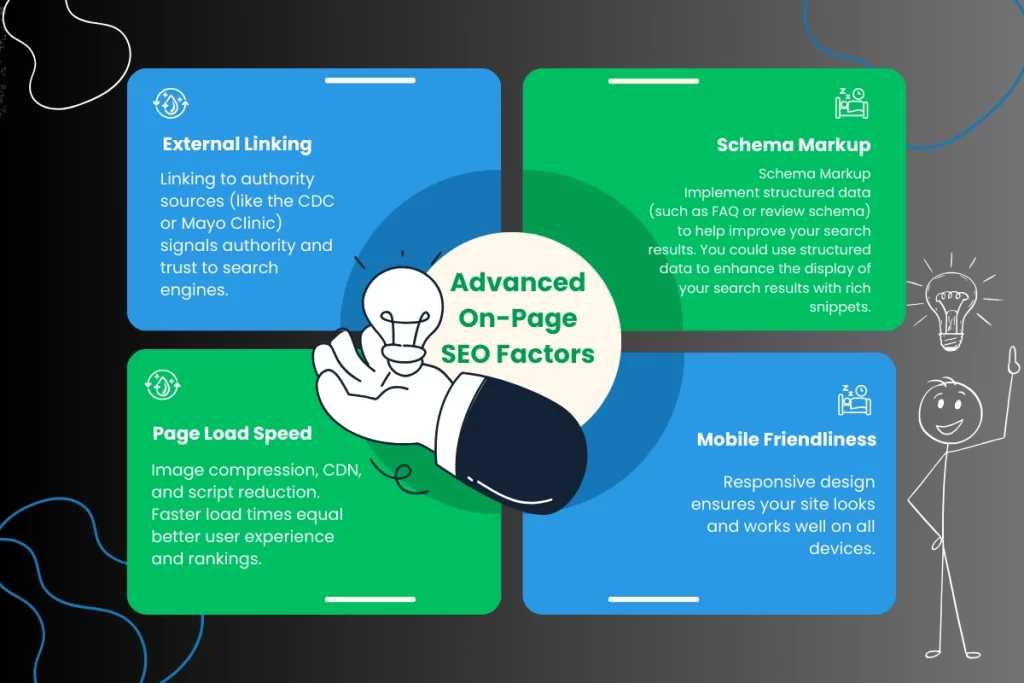
Advanced On-Page SEO Factors
| Factor | Description & Example |
| External Linking | Linking to authority sources (like the CDC or Mayo Clinic) signals authority and trust to search engines. |
| Schema Markup | Implement structured data (such as FAQ or review schema) to help improve your search results. You could use structured data to enhance the display of your search results with rich snippets. |
| Page Load Speed | Image compression, CDN, and script reduction. Faster load times equal better user experience and rankings. |
| Mobile Friendliness | Responsive design ensures your site looks and works well on all devices. |
| Content Freshness | Regularly update stats, recommendations, and information to signal relevance and maintain rankings. |
| EEAT Signals | Please include author bios; credentials; and reputable sources to build expertise and trust. |
Real-World Examples & Twitter/X Insights
“URLs that are short and descriptive are easier for users and search engines to process. Remember to always keep it simple: /best-running-shoes-2025 wins over /article?id=12345 every day. #SEOtips”
— @backlinko
“Internal links aren’t just for SEO—they guide your readers to more value. Every link is a pathway to deeper engagement. #ContentStrategy”
— @ahrefs
Why Content Structure Is Crucial for On-Page SEO
Content structure is a core pillar of on-page SEO. It’s not just about what you say, but how you organize and present your information. A well-structured page helps both users and search engines quickly understand your message, navigate your content, and find what they need. As @semrush says:
“Don’t just write for search engines—write for humans. Google rewards content that demonstrates real expertise and value.”
Key Benefits of Strong Content Structure
- Enhanced Readability: Clear headings, concise paragraphs, and logical flow keep readers engaged and reduce bounce rates.
- Better Crawlability: Search engines can easily identify main topics and subtopics, improving indexing and ranking potential.
- Improved User Experience: Visitors find answers faster, which increases time on site and satisfaction.
- Higher Chance for Featured Snippets: Well-structured content is more likely to be highlighted in Google’s rich results.
How to Structure Content for SEO Success
1. Use a Clear Hierarchy of Headings
- Start with one H1 tag for your main topic.
- Break content into sections with H2, H3, and H4 tags for subtopics and supporting details.
- Naturally include relevant keywords in headings for context.
Example: A “Beginner’s Guide to Yoga” might use H2s for “Benefits of Yoga,” “Basic Poses,” and “Getting Started,” with H3s for each pose or tip.
2. Start with a Compelling Introduction
- Open with a hook or relatable scenario.
- Clearly state what the reader will learn or gain from the page.
3. Use Short Paragraphs and Bullet Points
- Break information into digestible chunks.
- Use bullet lists and numbered steps for clarity and scannability.
4. Incorporate Visual Elements
- Add images, infographics, and videos to support key points.
- Use captions and alt text for accessibility and SEO.
5. Add Internal and External Links
- Link to related pages within your site to guide readers and distribute SEO value.
- Reference authoritative external sources to build credibility.
6. End with a Strong Conclusion or CTA
- Summarize the main takeaways.
- Encourage readers to take the next step—subscribe, share, or explore more content.
Real-World Example: When HubSpot restructured its blog content with clear headings, concise paragraphs, and strategic internal links, it saw a significant increase in user engagement and organic traffic. Pages that followed a logical, easy-to-navigate structure consistently ranked higher and had lower bounce rates.
A strong content structure isn’t just about SEO—it’s about delivering value to your audience. When your content is organized, easy to scan, and genuinely helpful, both users and search engines will reward you.
Conclusion
On-page SEO in 2025 is about much more than keywords. It’s about delivering value, clarity, and a seamless user experience. By focusing on these key factors supported by clear examples and industry best practices you’ll boost your site’s visibility, authority, and engagement. Regularly audit your site, stay updated with Google’s evolving algorithms, and keep your content fresh and user-focused for long-term SEO success
FAQs
1. What is on-page SEO and why is it important?
On-page SEO optimizes elements on your webpage—like content, tags, and URLs—to improve search rankings and user experience. It’s vital because it helps search engines understand your site and boosts visibility.
2. How should I use keywords in on-page SEO?
Place primary and related keywords naturally in titles, headings, URLs, and throughout the content with a density of about 1-2%, focusing on user intent rather than keyword stuffing.
3. Why are title tags and meta descriptions important?
Title tags influence rankings and clicks by summarizing your page’s topic. Meta descriptions don’t affect rankings directly but improve click-through rates by enticing users to visit your site.
4. How does page speed affect SEO?
Faster-loading pages provide better user experience and are favored by Google’s Core Web Vitals, directly impacting your rankings.
5. What role do internal links play in on-page SEO?
Internal links help distribute page authority, improve site navigation, and assist search engines in crawling your website effectively.

Mohit Verma
Contributor at Mohit's SEO Training.